Apple Developer Academy · Cohort 9

Ady SubagyaJunior

I make iPhone apps, and occasionally a machine that talks to one.

Five projects at the Apple Developer Academy this year — four iOS apps, and one device that grades fruit on a farm.

Every project here does the same thing: it turns what one person just knows into something anyone can read.

Now in Tangerang, finishing Cohort 9. Alongside it I run six consumer brands and Skillary, a learning platform I built and still maintain.

SCROLL

I start with researchand design, then helpbuild it.

Information Systems graduate. I run six food brands and a learning platform. For two years I stood behind a counter watching people misread a menu I wrote myself, so I know what a badly designed process costs.

Selected work

IoT & hardware · Team of six

Family product · Group project

Accessibility · Group project

User research · Group project

Solo build · On my own

Challenge 5 · team of six

WaKaBe

Two people, one orange, two different grades.
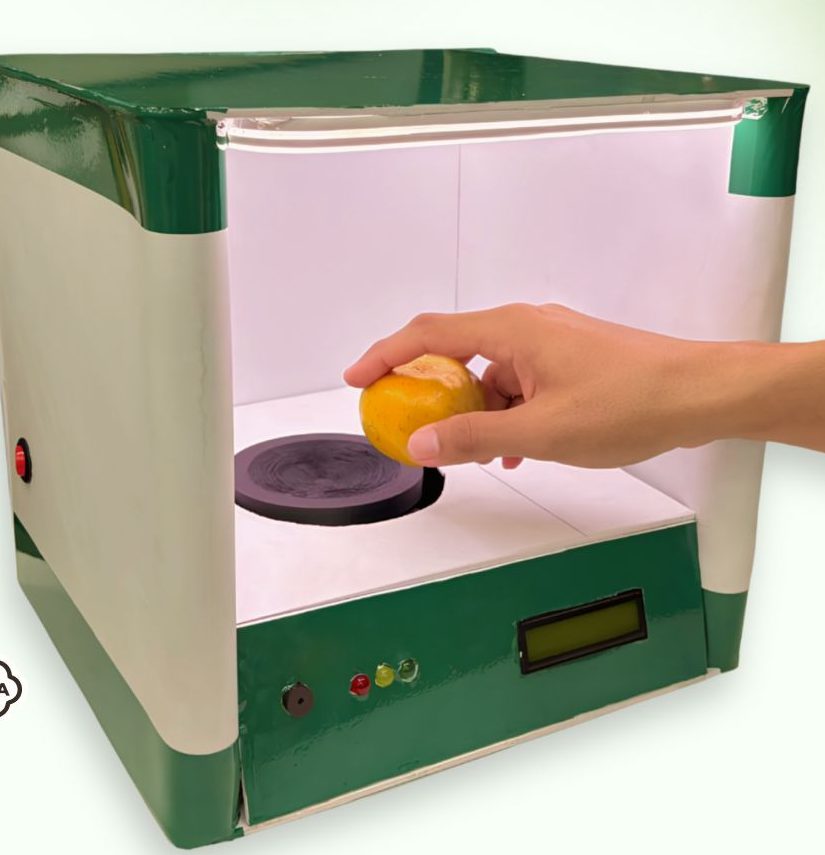
The WaKaBe grading box: a hand placing an orange on the load cell platform inside the lit chamber, with an LCD and three lamps on the front panel

The box. Load cell under the platform, camera above it, LCD and three lamps on the front for the person standing there.

My part

Field research, framing the problem, and the iPad dashboard supervisors use.

My teammates

The ESP32 hardware and the computer-vision model that does the grading.

Built with

ESP32-C6 and ESP32-CAM, a load cell, and SwiftUI for the iPad dashboard.

Where it stands

Working prototype. Demonstrated, not yet run through a full working day.

Two tons.Two hours.Not one measuringtool on that table.

Watched at BIKI, our partner farm

Five people grading by eye and by hand. Which means the same fruit can leave as grade A in one person's hands and grade B in another's, and nobody further down the line can tell which happened.

This is not carelessness. Nobody holds one standard steady for two tons in two hours. There was no instrument, so there was no standard.

What we had to make measurable was exactly what they were already judging: weight, colour, and the state of the skin. Just with nothing to check it against.
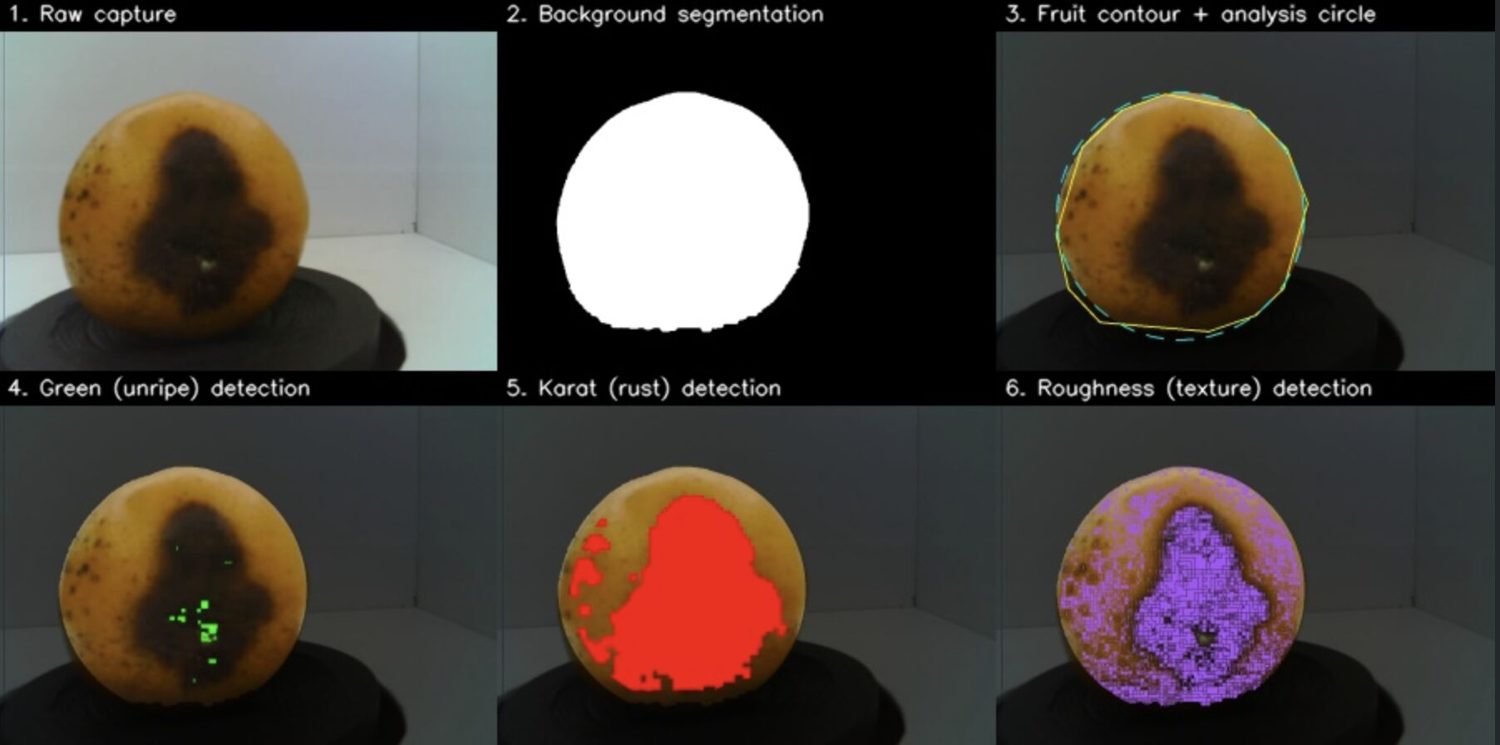
Six stages of the vision pipeline: raw capture, background segmentation, fruit contour, green detection, rust detection and roughness detection

Colour and skin, made checkable: the fruit is cut out from the background, then measured for green, for rust, and for how rough the surface is. Weight comes from the load cell underneath.

What we argued about

What runs the vision

Raspberry Pi

ESP32-C6 + ESP32-CAM

The price made it something a farm would never buy. That constraint is what made the project real.

What the operator sees

Raw sensor readings

One letter, one reason

We watched how fast people work at that table, then cut everything else.

Three power supplies burned out along the way. That never happened when I was building apps.

Every part of this is here because someone needed it

Operator

Places the fruit

The load cell and camera catch what the eye was guessing at

·

Grading runs

One standard on every fruit instead of five

Operator

Reads the grade

The answer arrives at the table, where the work is

·

Every result saved

The day becomes something you can look back at

Supervisor

Watches it live

Sees the line without standing on it. My part.

I was the one who went to the farm and asked the questions, so I was the one who knew best what actually needed to appear on a supervisor's screen. That is why I built the screen too.

The hardware is what people notice. But a farm does not buy sensors. It buys the ability to trust what left that table, and that trust gets delivered at two ends: the display the operator reads, and the dashboard the supervisor watches.
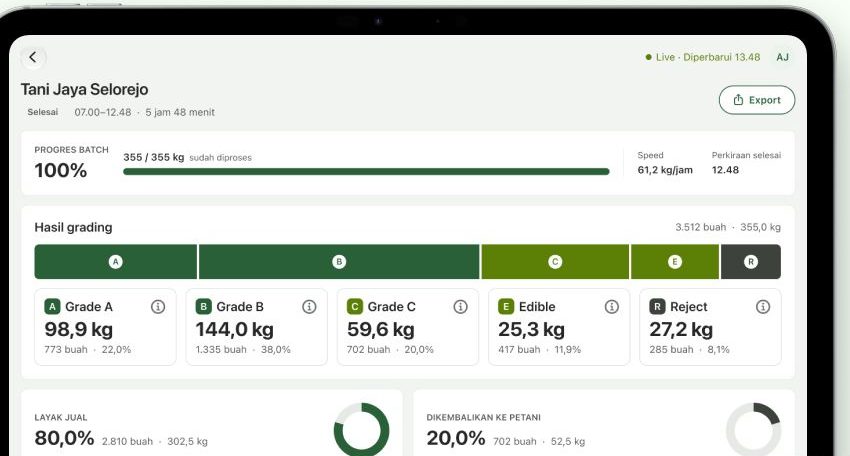
The WaKaBe supervisor dashboard on iPad, showing batch progress and the grade split for a finished run

The supervisor screen, my part. Batch progress, the grade split, and how much of the load a buyer will take.
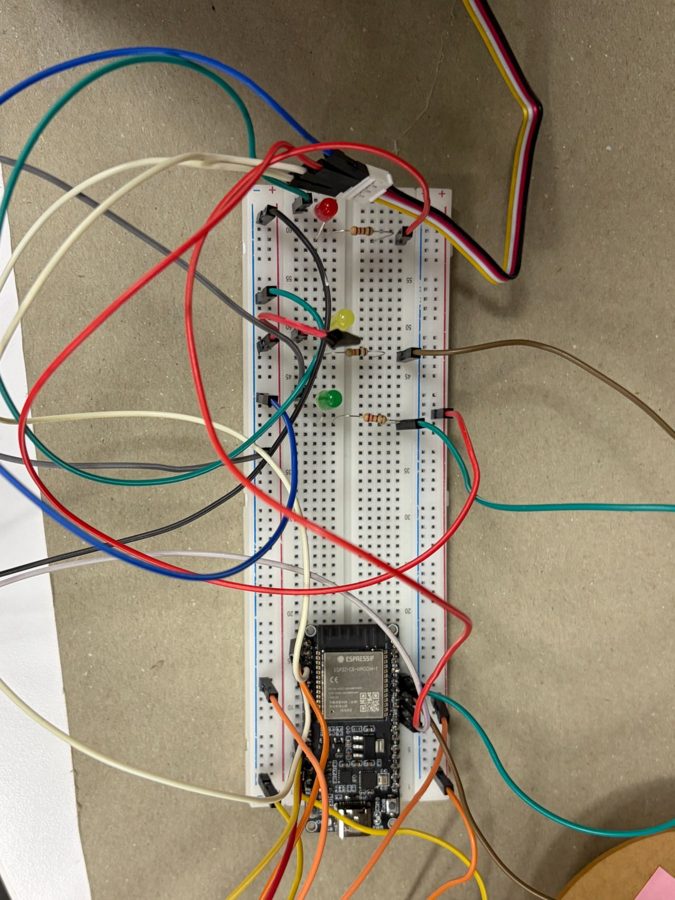
The ESP32-C6 board on a breadboard with red, yellow and green indicator LEDs and jumper wiring
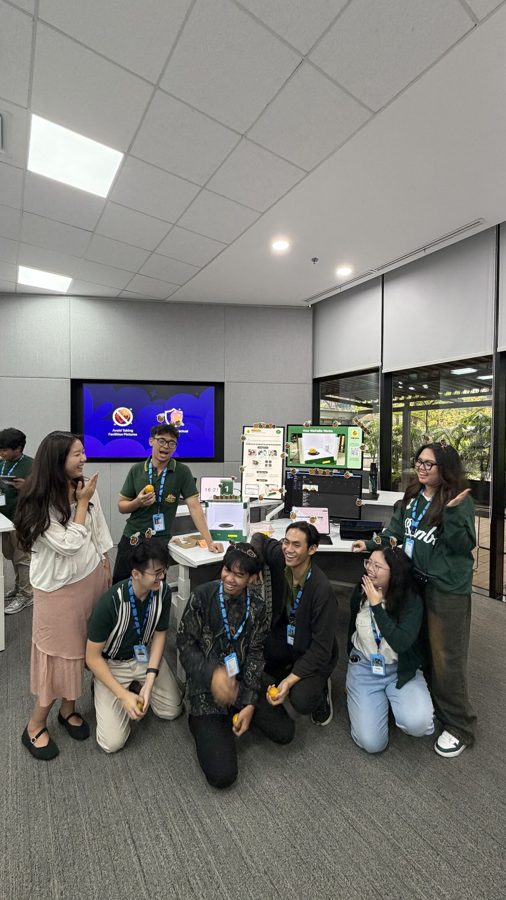
The team standing around the WaKaBe booth on demo day, holding oranges

Left: the same three lamps, before there was a box around them. Right: demo day.

We ran it for a demo, not for a full working day. Whether the grading holds at hour six is what I would test next, and we have not tested it. No accuracy figure appears on this page, because we never measured one.
Challenge 4 · Urban Innovation

Cubby

A game two people play together, so a hard conversation gets a rehearsal.

My part

Interface design

Type

Group project · iPad · Working prototype

For

Parents and children aged 4–10

Built with

SwiftUI, SpriteKit, AVFoundation

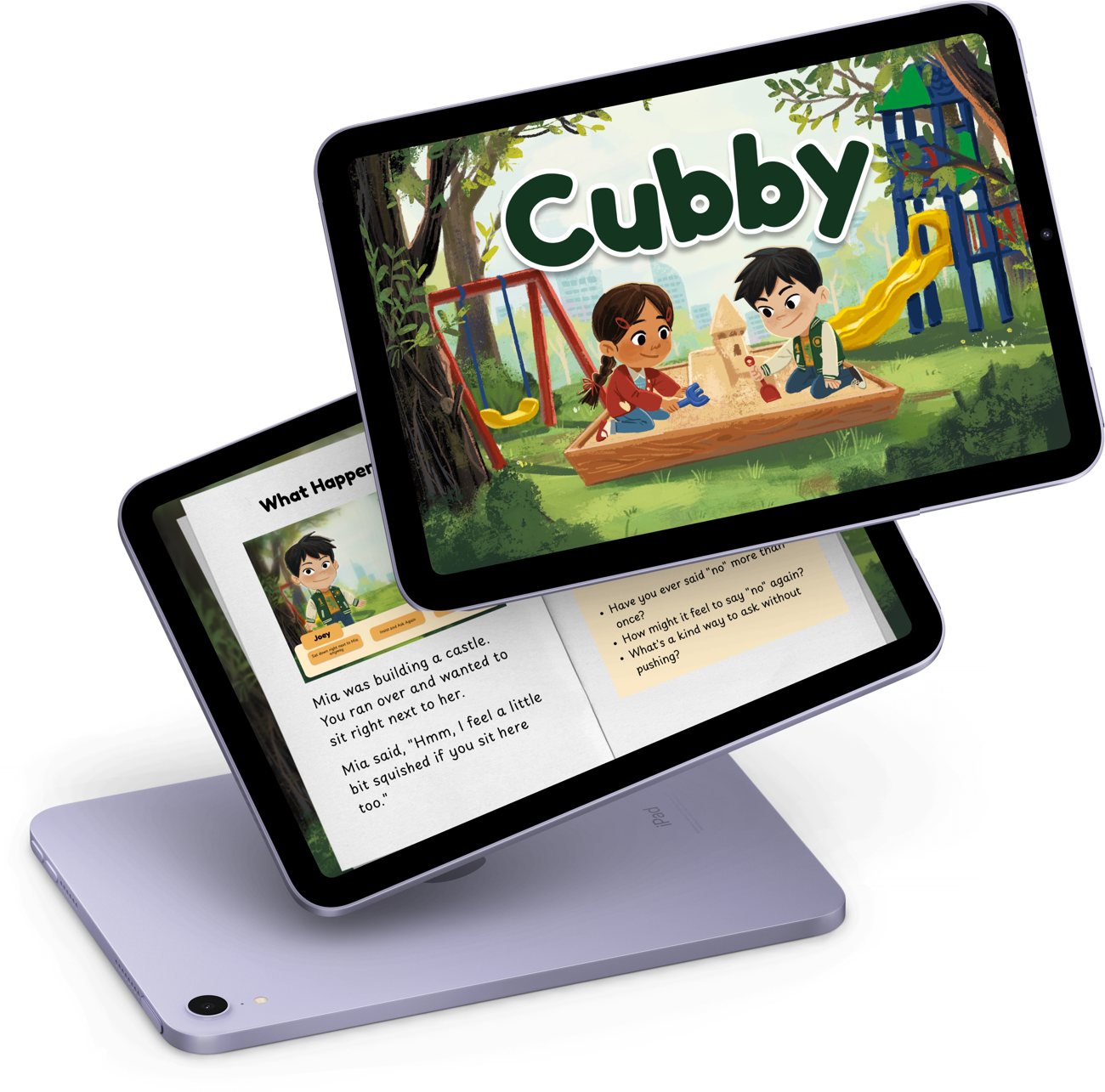
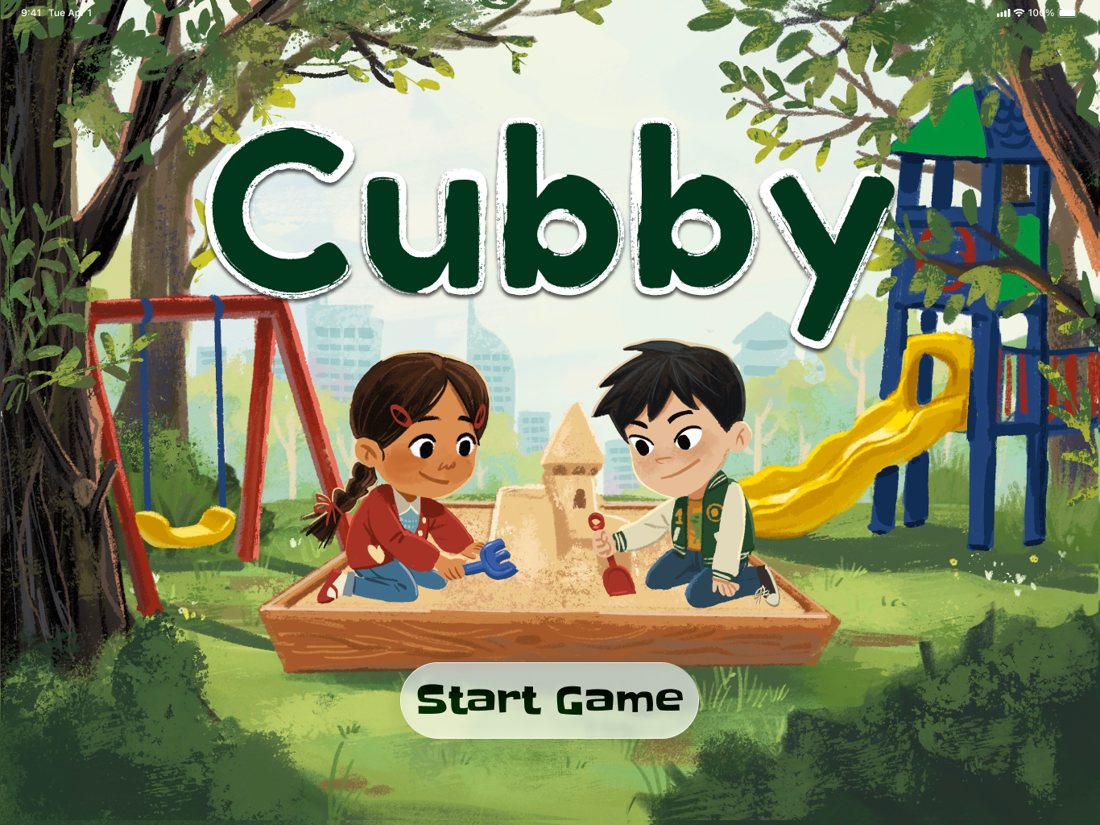
The Cubby title screen: two children building a sandcastle in a playground, with a Start Game button
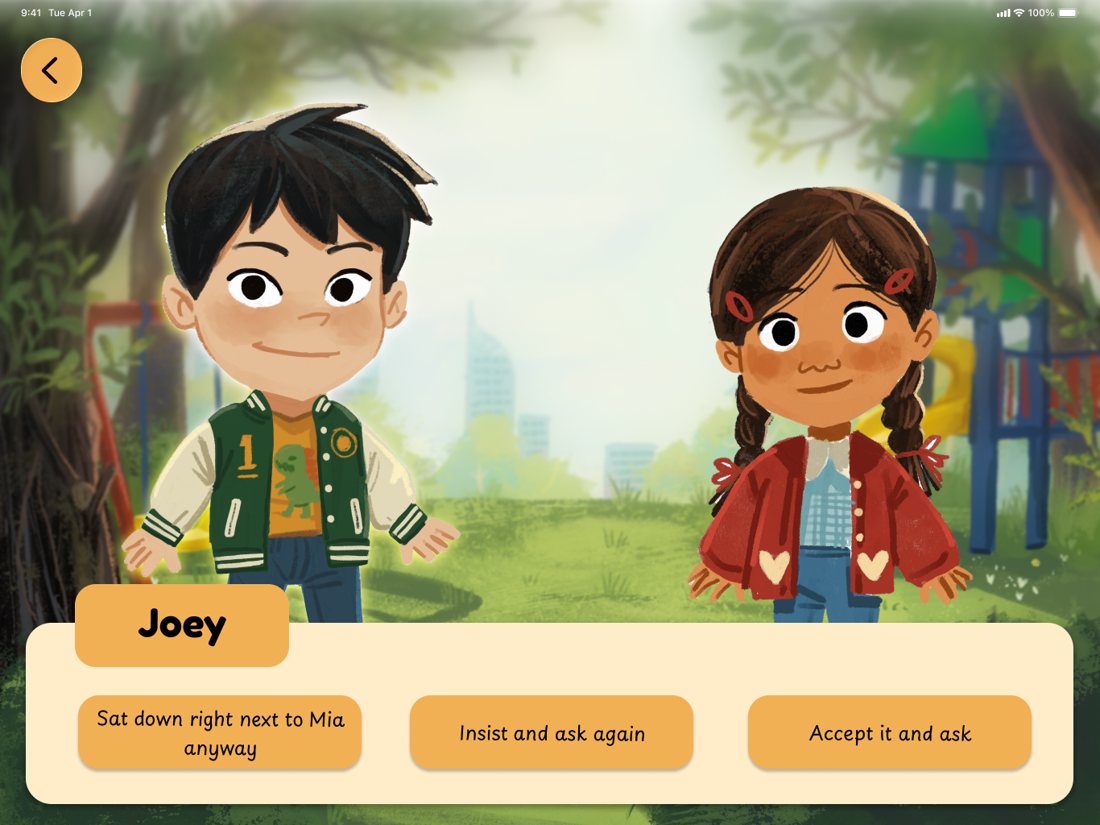
The choice screen: Joey and Mia facing the player, with three options for what Joey does next

Left: where it opens. Right: Joey has asked to sit next to Mia, and Mia has said she would feel a little squished. The child picks what Joey does next — sit down anyway, insist and ask again, or accept it and ask something else.

We interviewed parents, a child psychologist and a paediatrician. What came back was not a knowledge gap. Parents knew what to say. They just found saying it awkward, so the conversation kept not happening.

So Cubby stopped explaining and became a game. A narrated scenario in a park or a street, the child chooses what to do, the parent guides, and a story book afterwards lets them look back at the choices together.

One screen, two players, two reading levels. That constraint shaped every decision I made.

Not mine

Illustration, narration and the SpriteKit scene work belong to my teammates. The interface is the part I owned.

An iPad showing the Cubby story book: the scene written out with Mia's words, and three reflection questions beside it

Afterwards the same scene comes back as a story book, with Mia's words written out and three questions beside it: have you ever said no more than once, how might it feel to say it again, what is a kind way to ask without pushing.

Also this year

Three more challenges from the same year, in short.

Challenge 3 · group project

Salt Bread Bakehouse

The app became useful once it got smaller.

Design, accessibility and scope · iOS · Hallway tested · Working prototype

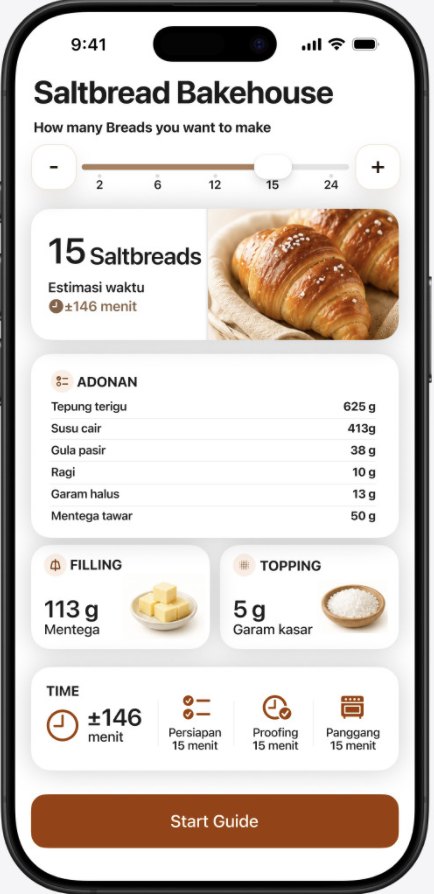
Salt Bread Bakehouse setup screen: a batch-size slider set to 15, estimated time, and the ingredient list in grams
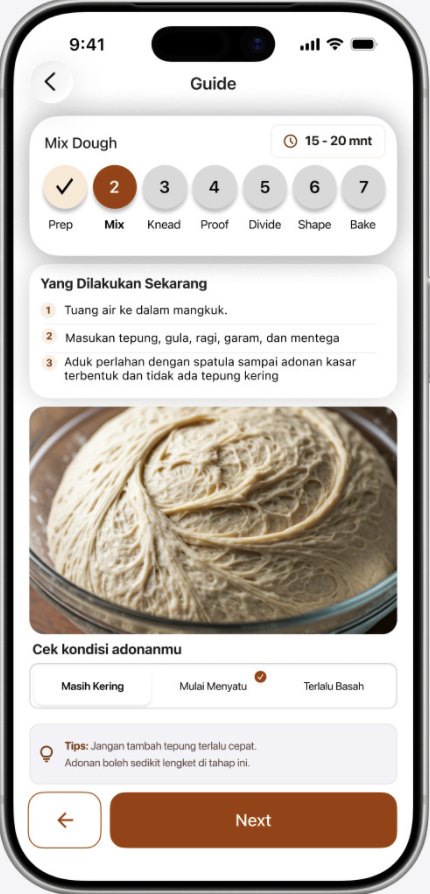
The guide screen for the Mix stage: what to do now, a photo of the dough, and three buttons to report its condition
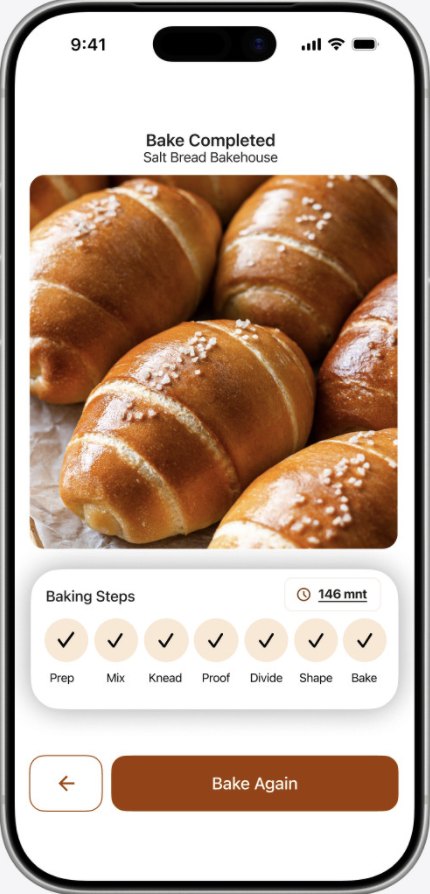
The completion screen with all seven baking stages checked off

Set the batch size and the grams recalculate. Then one stage at a time: what to do now, a photo of what it should look like, and three buttons for which one you are actually looking at — still dry, coming together, too wet. Interface is in Indonesian; the bakers we tested with are.

Challenge 2 · group project

Ba-KING

I asked seven bakers. The answers split in two.

Research and synthesis · iOS · 4 beginners and 3 professionals interviewed

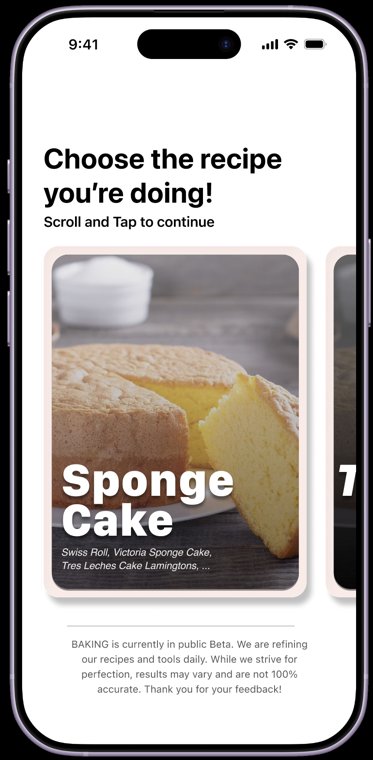
Ba-KING recipe picker, with a beta notice saying results may vary
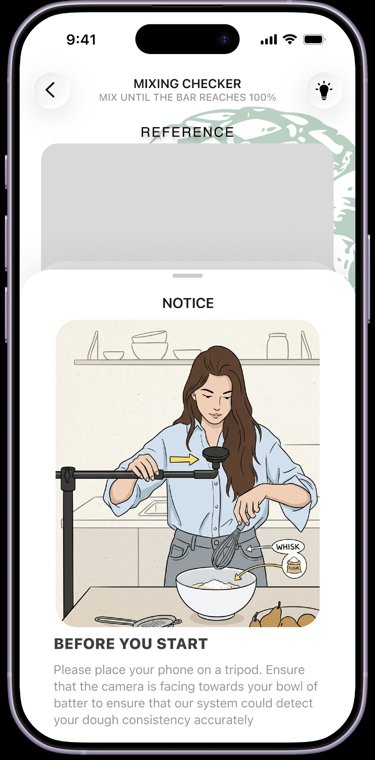
The mixing checker, with a notice asking you to put the phone on a tripod facing the bowl
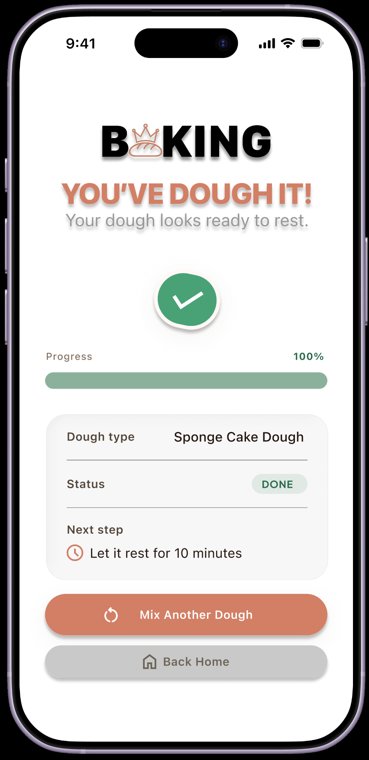
The finished state: dough type, status done, and the next step with a rest time

Pick the recipe, prop the phone on a tripod so the camera can see the bowl, and mix until the bar fills. The app tells you in its own words that it is in beta and can be wrong.

Challenge 1 · on my own

Werner

Scope, flow, interface, implementation — all mine, mistakes included.

Everything · Solo build · iOS · Offline-first · Working prototype

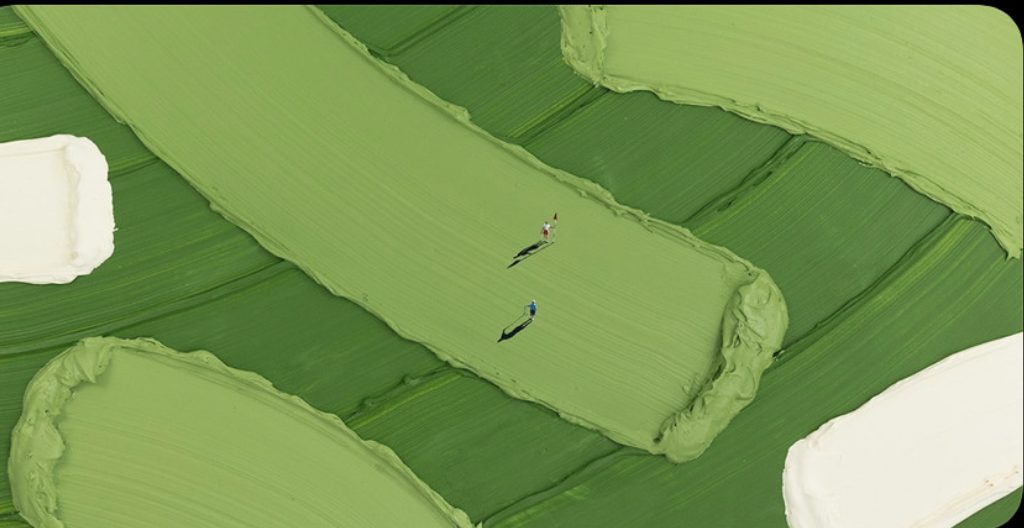
A finished Werner piece: a golf course rendered as thick strokes of green oil paint, with two tiny figures standing on the fairway

A finished piece. The surface is painted first, then figures are placed on top of it.

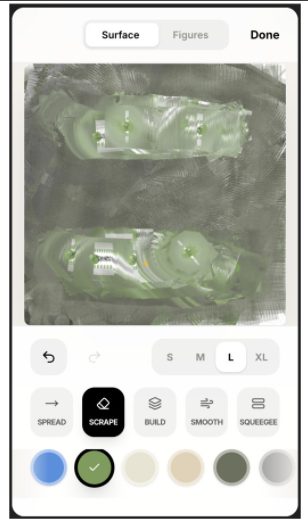
The Surface tab: spread, scrape, build, smooth and squeegee tools with four knife sizes
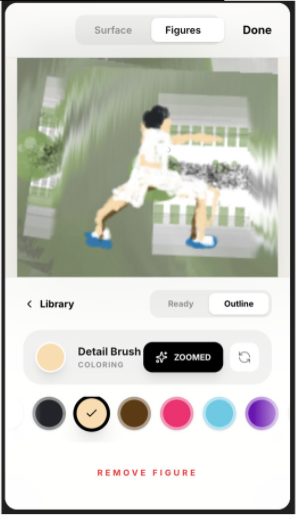
The Figures tab: placing and colouring a figure on the painted surface

Two tabs, and that is the whole app. Surface: five knife actions and four sizes. Figures: place one, colour it, remove it.

What I work with

Build

  • SwiftUI
  • Xcode
  • iPadOS
  • Git & GitHub
  • Full-stack web

Design

  • Figma
  • Miro
  • User flows
  • Prototyping
  • Dynamic Type, dark mode

Research

  • Field observation
  • Interviews
  • Qualitative coding
  • Synthesis
  • Usability testing

Data

  • Python
  • SQL
  • TensorFlow
  • Power BI, Tableau
  • ML workflows

Certifications

Gemini Certified Educator, Google for Education (2025) · Azure AI Fundamentals AI-900, Microsoft (2025) · Coding Camp 2025, DBS Foundation × Dicoding — Machine Learning cohort.

Also running

Six food brands since 2024. I wrote the SOPs, and I also watched people misread a menu I wrote myself. Skillary, a learning platform I own end to end. Database administration taught in English to eleven international-class students. Machine Learning Engineer on NusaKue, deployed.

An operations problem reads to me before a technical one does. That is the part of this I did not learn at the Academy.

Reviewed by my tribe

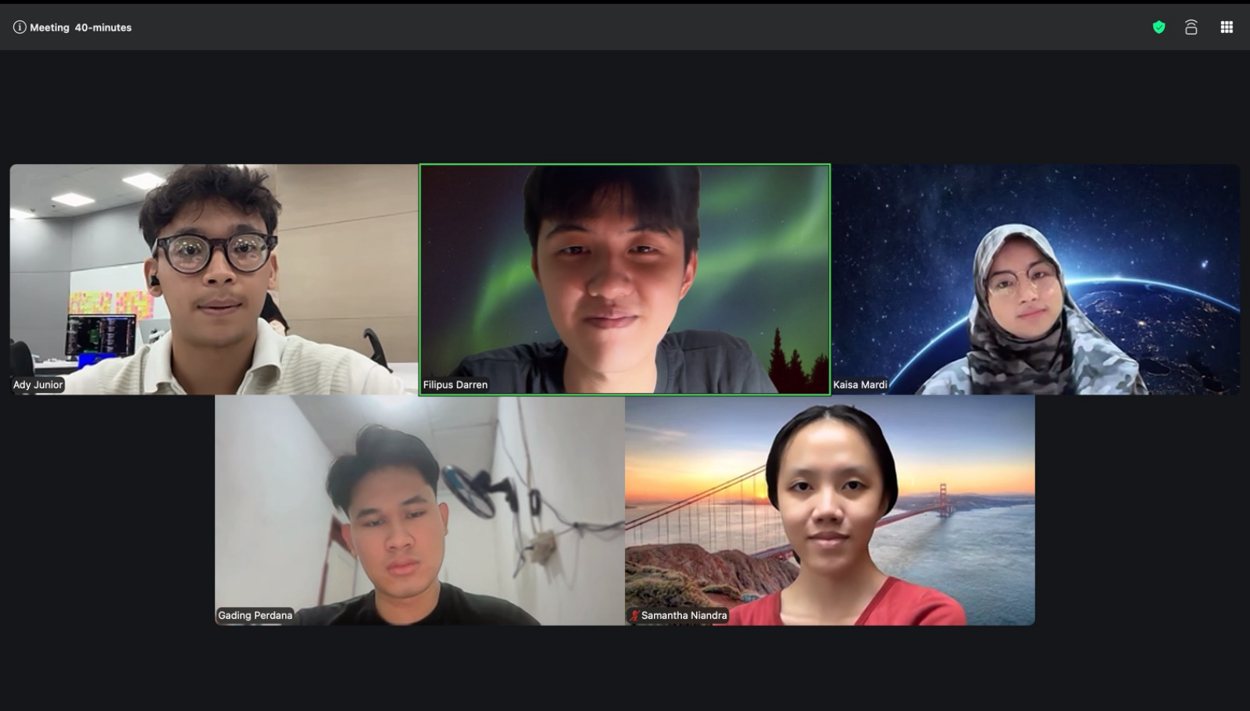
Five of us went through each other's CV and portfolio, online, before any of it was submitted.

A five-person video call: the tribe reviewing each other's CV and portfolio

The session. I am top left.

I want a problem wherethe technical part andthe human part are thesame problem.

adysjunior@gmail.com